Account Violation Notice: A Phishing Email Sent from a Compromised Account
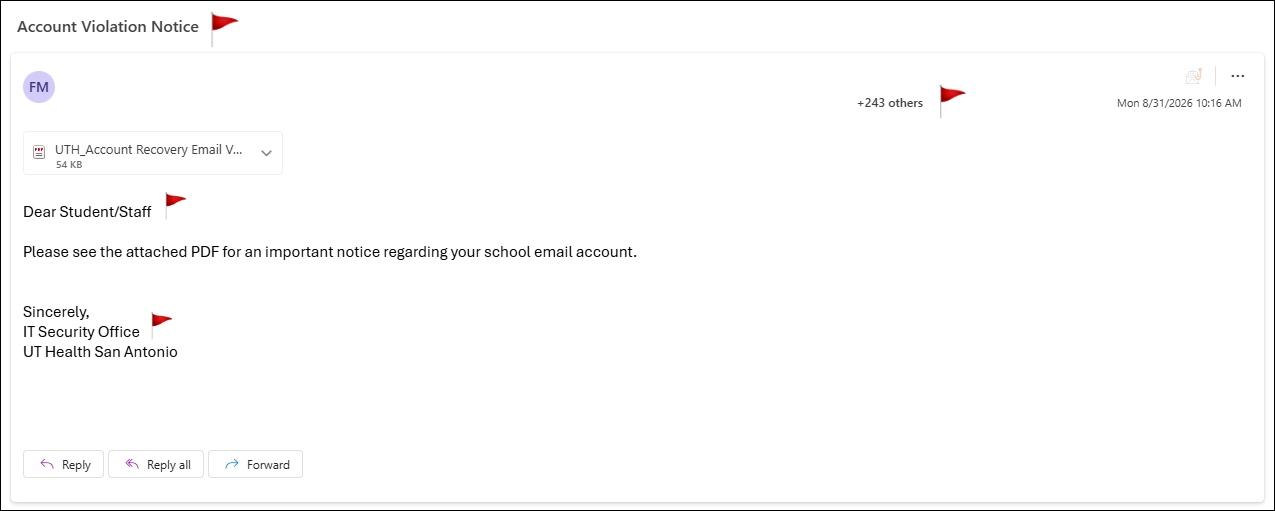
This email below has been confirmed as malicious or fraudulent by the Information Security department. If you have received this phishing email, do not open any attachments or follow the link(s) in the message; simply delete the email.The email below was sent from a compromised, legitimate account to approximately 250 students and staff, with the subject line “Account Violation Notice.” While it may appear more trustworthy at first glance due to its internal origin, it exhibits several common phishing red flags. An analysis is provided below.
Red Flags:
1. Alarming subject line: “Account Violation Notice” is vague yet ominous, designed to provoke concern and prompt the recipient to open the email quickly to find out what they supposedly did wrong.
2. Sent from a compromised, legitimate account: This email did not come from a spoofed or external address, it was sent from an actual, real account that has been compromised. This is especially dangerous because it can bypass sender-reputation filters and appear more trustworthy than a typical phishing email, since it comes from someone within the organization.
3. Generic, impersonal greeting: “Dear student/staff” addresses no one specifically, a hallmark of mass phishing campaigns rather than legitimate, personal communication from someone you know.
4. Vague reference to an “important notice.”: The email doesn’t specify what the notice concerns, relying on curiosity or mild concern to prompt the recipient into opening the attachment without knowing what it is.
5. Suspicious PDF attachment: Legitimate IT departments rarely deliver “urgent” account notices as PDF attachments, this is a common method for delivering malicious links or malware.
6. Generic sign-off with no verifiable contact info: “IT Security Office” with no name, phone number, or way to verify legitimacy is typical of phishing attempts impersonating internal departments.
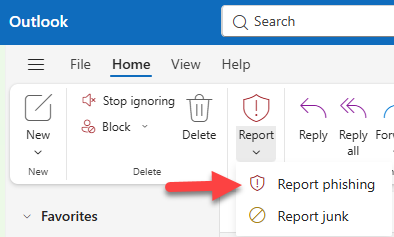
What to do: Do not open the attachment. Click the “Report Phish” button in your email client to alert your IT/security team.